

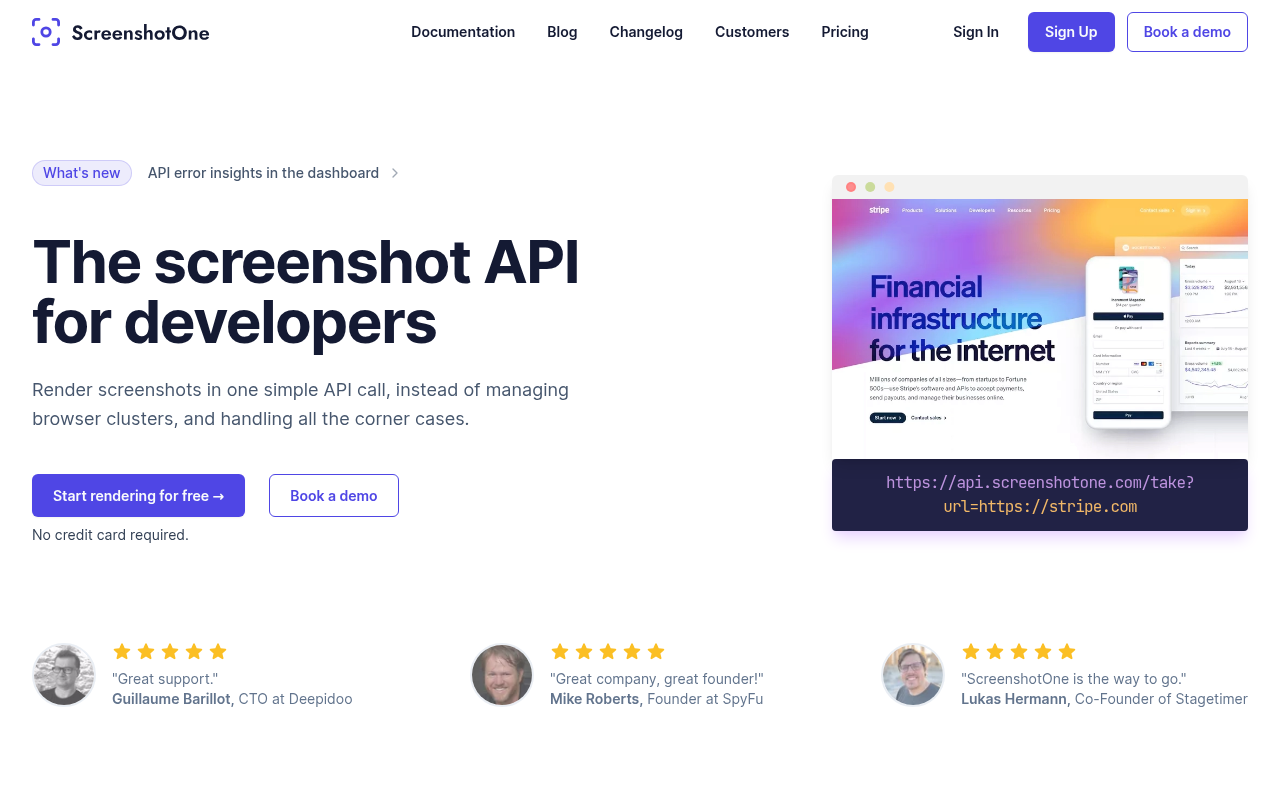
Overview
If you have ever tried to build a reliable screenshot microservice using Puppeteer or Playwright, you know it is a nightmare. You start off thinking it is just a few lines of code to spin up a headless browser. Three weeks later, you are dealing with zombie processes, memory leaks, random timeouts, and cookie banners obscuring 50% of your images.
ScreenshotOne is an API built specifically to offload that headache. It is a "Screenshot as a Service" designed for developers who need high-quality captures without managing a browser cluster. The core appeal here isn't just taking the picture; it is the cleaning process. The API automatically strips away GDPR consent forms, chat widgets, and ads so you get a clean shot of the actual content.
This tool is primarily aimed at SaaS founders building OG image generators, SEO specialists running visual audits, and marketing agencies automating competitive analysis. It removes the infrastructure burden so you can focus on your actual product logic.
Key Features
The Auto-Blocking "Cleaning" Engine
This is the strongest selling point. Most screenshot APIs capture exactly what a user sees, which unfortunately includes "Accept Cookies" banners and chat bubbles (like Intercom or Crisp) covering the bottom corner. ScreenshotOne uses a massive database of heuristics to identify and hide these elements before the shutter clicks. You don't need to write custom CSS selectors for every website you target; the API handles the sanitation for you.
Advanced Rendering & GPU Support
Rendering modern web pages is tricky. ScreenshotOne supports dark mode, high-DPI (Retina) resolution, and custom viewports for mobile or tablet emulation. For heavier workloads, the Scale Plan utilizes GPU hardware acceleration. This is critical if you are capturing sites with complex WebGL components, 3D graphics, or heavy visualizations that typically crash standard headless browsers.
Full-Page Scrolling & Lazy Loading
A common issue with home-rolled screenshot scripts is that they capture the viewport before the rest of the page loads. ScreenshotOne offers a scrolling mechanism that forces the browser to scroll down the entire page. This triggers "lazy loading" images and elements, ensuring the final full-page screenshot isn't half-empty white space.
Video & GIF Generation
Available on the higher-tier plans, this feature allows you to record interactions or animations. Instead of a static JPG, you can export an MP4 or GIF. This is particularly useful for marketing teams wanting to automate "product tour" assets or monitor dynamic changes on a landing page over time.
No-Code & Storage Integrations
If you aren't writing code, ScreenshotOne has native support for Zapier, Make.com, Bubble, and Clay. For developers, it integrates directly with storage providers. You can have the screenshot uploaded straight to Amazon S3 or Cloudflare R2 and just get the URL back in the JSON response, saving you a bandwidth hop.
Pricing
ScreenshotOne operates on a monthly subscription model. There is no credit card required to test the API.
- Free trial: 100 screenshots trial. Includes core features like banner blocking and PDF rendering.
- Basic Plan ($17/mo): 2,000 screenshots/month. Opens up S3 uploads and no-code integrations (Zapier/Make).
- Growth Plan ($79/mo): 10,000 screenshots/month. This is the entry point for video generation, scrolling screenshots, and Geo-IP location selection.
- Scale Plan ($259/mo): 50,000 screenshots/month. Unlocks GPU rendering, priority support, and dedicated infrastructure lanes.
Note: They offer a 30-day money-back guarantee on paid plans.
Pros & Cons
Pros
- It Actually Cleans the Page: The banner and widget removal is highly effective. It saves hours of writing "exclude" scripts.
- Founder-Led Support: The founder, Dmytro, is known in the community for being incredibly responsive. Edge cases and specific rendering bugs are often fixed within hours of reporting.
- Documentation: The API docs are exhaustive, clear, and easy to implement in Node.js, Python, or Ruby.
- Stable at Scale: Designed to handle thousands of concurrent requests, making it viable for high-volume enterprise use cases.
Cons
- Feature Gating: Essential features like full-page scrolling and video generation are locked behind the $79/mo tier. If you are a small startup needing scrolling shots but low volume, this pricing structure is awkward.
- Price Floor: For a hobbyist who needs 500 shots a month, the $17 entry point is higher than some bare-bones competitors that start around $5 or $9.
- Use It or Lose It: Credits do not roll over to the next month. This is standard for the industry but annoying for users with sporadic usage spikes.
Verdict
ScreenshotOne is currently one of the most robust options in the screenshot API space. While you can find cheaper alternatives if you just need a raw, messy pixel dump of a viewport, you are paying here for the reliability and the cleaning algorithms.
If your business relies on showing professional, clean thumbnails to users (like a directory or a link-preview tool), the ability to automatically nuke cookie banners and chat widgets is worth the premium alone.
Recommendation: Start with the Free tier to verify the rendering quality on your target sites. If you need scrolling capabilities or video, be prepared to commit to the Growth plan. This is a "buy it and forget it" tool that solves a messy technical problem very well.