

Overview
If you are building a SaaS product today, your email stack usually looks like a fragmented mess. You likely have SendGrid or AWS SES handling password resets and verification codes, while a separate tool like Mailchimp or HubSpot handles your marketing newsletters. Loops was built specifically to solve this fragmentation for modern software companies.
It is a unified email platform that combines marketing campaigns, automated product-led growth (PLG) sequences, and transactional alerts into a single dashboard. The platform targets early-to-growth stage SaaS teams and technical founders who find legacy marketing tools too bloated and developer-centric tools too hostile for non-technical team members. The goal is simple: let you trigger emails based on actual user behavior (like finishing a setup wizard) without maintaining complex sync logic between three different providers.
Key Features
Unified Email Ecosystem
The biggest selling point here is consolidation. Instead of managing one API key for transactional emails and a separate login for marketing blasts, Loops handles both. You can send your "Welcome to the App" transactional email and your weekly product changelog from the exact same domain and dashboard. This setup eliminates the need to constantly sync user data between a product database and an external marketing tool.
Notion-Style Editor
If you have used Notion, you already know how to use the Loops editor. It creates a stark contrast to the drag-and-drop chaos found in older platforms. It is a block-based, document-style editor that prioritizes clean typography and layout over complex HTML structures. This is great for keeping emails looking professional and readable, though it might frustrate designers who want pixel-perfect control over complex graphical layouts.
SaaS-Specific Logic & Integrations
Because Loops is built for software companies, its segmentation logic speaks the language of SaaS. You aren't just grouping people by "Opened Email." You can segment users based on product data, such as "Active in the last 30 days," "Paying vs. Trial," or custom properties like "Workspace Size." It integrates natively with the modern tech stack, offering support for tools like Stripe, Clerk, and Supabase, along with a developer-friendly API and Node SDK.
The "Guardian" & Bounce Doctor
Loops includes some clever guardrails for teams without a dedicated email ops manager.
- The Guardian: This system runs an automated check before you hit send. It scans for common errors like broken links, missing variable data (nobody likes receiving "Hi {First_Name}"), or layout issues.
- Bounce Doctor: If your emails start hitting spam, this tool diagnoses the issue and gives you specific steps to fix your sender reputation, rather than leaving you to guess why your open rates dropped.
Pricing
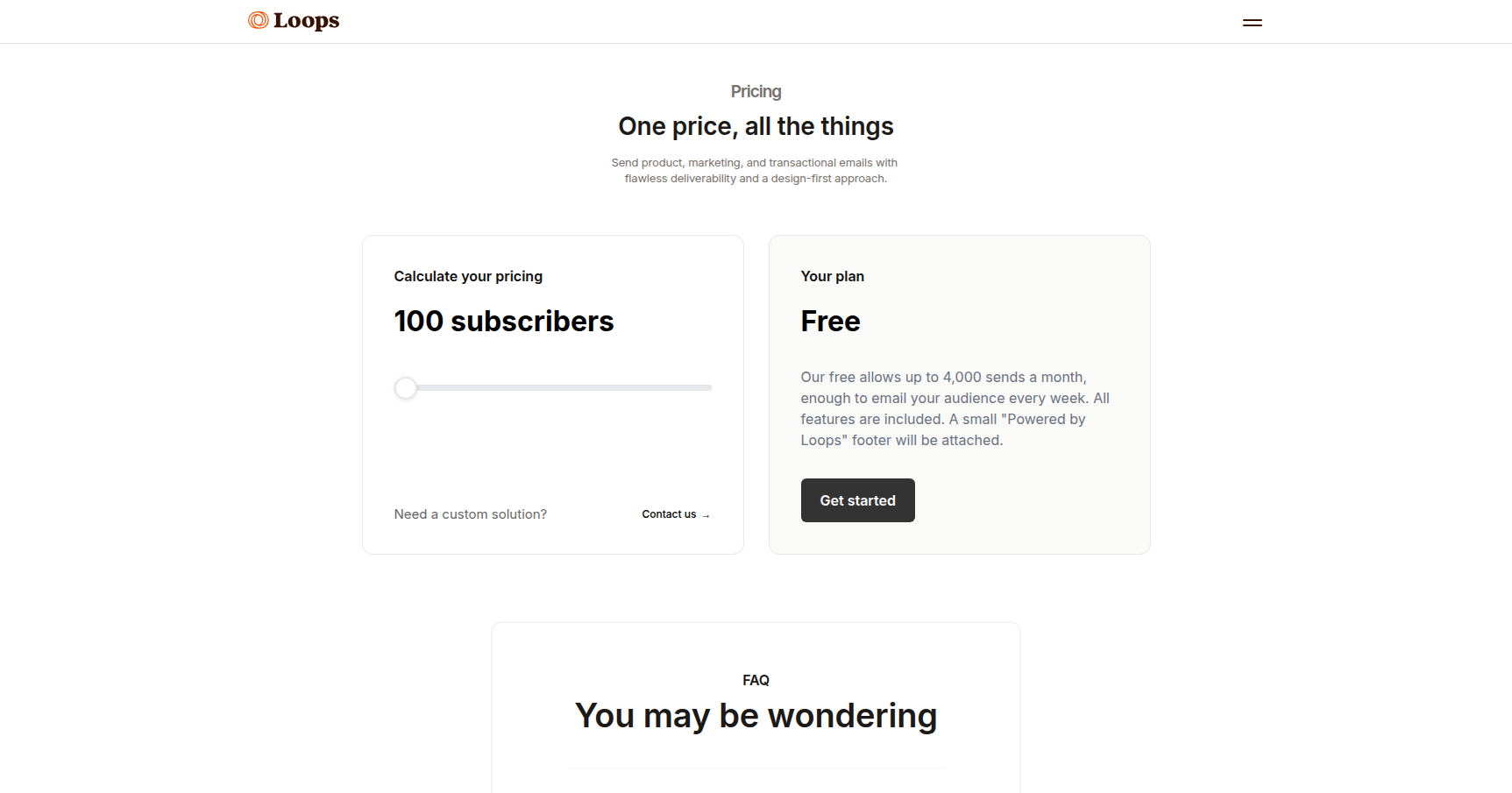
Loops uses a subscriber-based pricing model that doesn't punish you for sending transactional volume.
- Free Plan: This is surprisingly generous for bootstrapping. You get up to 1,000 contacts and 4,000 sends per month. It includes all platform features but appends a small "Powered by Loops" badge to the footer of your emails.
- Standard Paid Plan: Pricing starts at $49 per month for up to 5,000 contacts. The key value here is that it includes unlimited transactional sends. If you have a high-volume app notification system, this can save you money compared to metered transactional providers. This plan also removes the branding.
- Enterprise Plan: For lists over 100,000 contacts, they offer custom volume pricing with dedicated support and SSO.
Pros & Cons
The Good
- User Interface: The UI is exceptionally clean. It gets out of the way and feels like a modern productivity tool rather than a legacy marketing suite.
- Speed: Setup is fast. You can go from signing up to sending your first campaign in minutes, provided you have your domain DNS access ready.
- Developer Friendly: The documentation, API, and SDKs are written with engineers in mind, making integration into a Next.js or Node backend straightforward.
- Unified Pricing: You don't pay extra for a "Transactional Add-on." It is all included in the subscriber tier.
The Bad
- Linear Automation: The "Loop Builder" is good for standard drip sequences (Day 1, Day 3, Day 7), but it lacks the complex visual "spiderweb" workflow builders found in enterprise tools. Power users might find the branching logic limited.
- Editor Quirks: While the document editor is nice, users have reported issues with the "undo" function and specific formatting edge cases.
- Scaling Costs: The price is fair for startups, but the subscriber-based model can get expensive if you have a massive list of free users who you rarely email.
Verdict
Loops is currently the strongest contender for the "default email stack" for new SaaS projects and technical startups. If you are building a web app and want to send password resets and marketing updates without managing two different tools, this is a no-brainer.
However, it is not a one-size-fits-all solution. If you are running a high-volume e-commerce store with complex cart abandonment logic, or an enterprise marketing team that needs intricate automation trees, you might find the feature set a bit too streamlined. But for a product-led software company, Loops hits the sweet spot between developer control and marketer usability.