

Overview
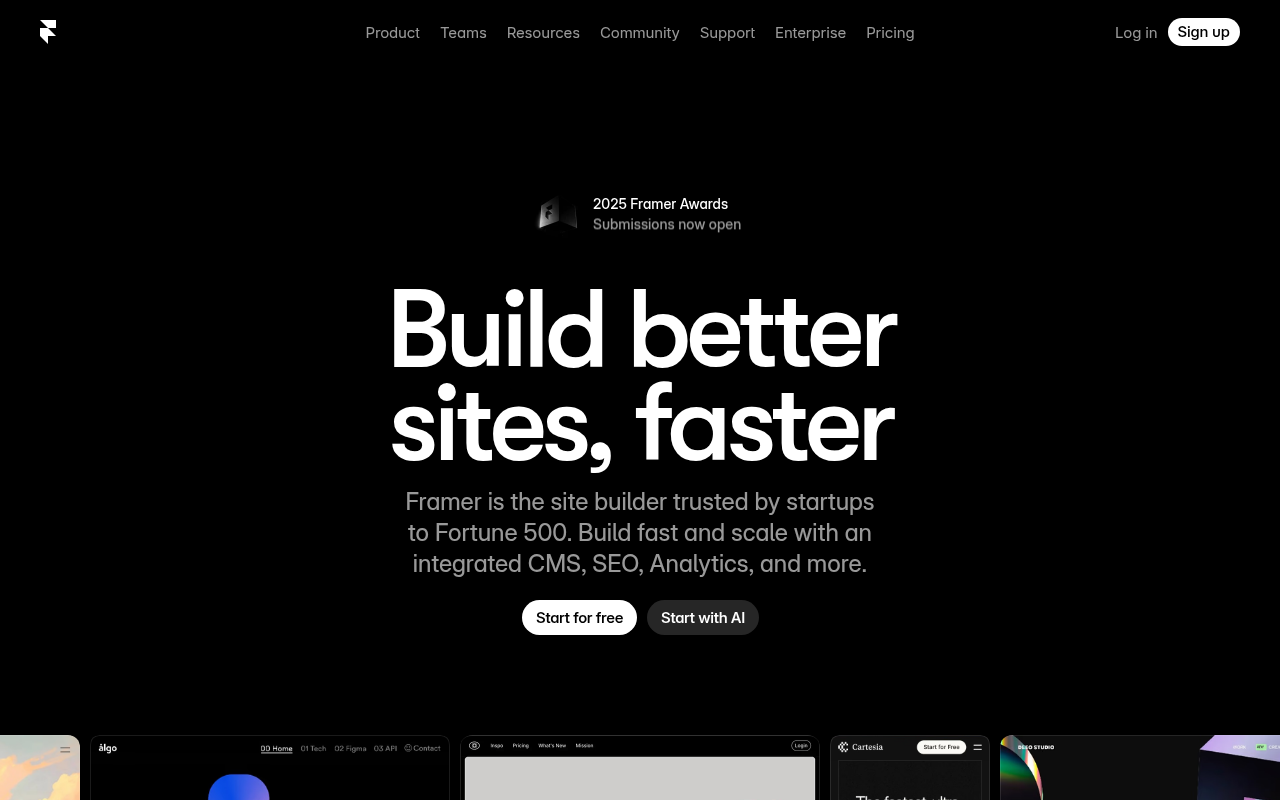
Framer has successfully pivoted from being just another prototyping tool into a serious contender in the web builder space. If you are coming from a design background, this is likely the tool you have been waiting for.
Think of Framer as "Figma that publishes." Unlike Webflow, which requires you to think like a front-end developer using box models and flexbox logic, Framer works like a graphic design tool. You drag, drop, and position elements freely on a canvas. Behind the scenes, the platform converts that visual chaos into clean, high-performance React code.
It is specifically built for UI/UX designers, marketing teams, and early-stage startups who need "Series A" quality websites without the bottlenecks of developer handoffs. If your goal is to ship a high-fidelity portfolio or a landing page with complex animations by the end of the day, Framer is currently unbeatable.
Key Features
The "Figma to HTML" Workflow
This is the feature that convinces most designers to switch. Framer offers a surprisingly functional "Copy-Paste" integration with Figma. You can grab your layers in Figma and paste them directly into the Framer canvas. While it usually requires some cleanup to ensure responsiveness across different screen sizes, it cuts out hours of rebuilding visual assets from scratch.
High-Fidelity Motion & Effects
Most no-code tools struggle with animation, often requiring you to write custom CSS or JavaScript to get things moving. Framer handles this natively. You can add scroll-linked animations, complex page transitions, and micro-interactions (like hover or press states) using a simple properties panel. It allows you to build those slick "Apple-style" scroll experiences without writing a single line of code.
Performance-First Hosting
A common issue with visual page builders is "code bloat," resulting in slow load times. Framer mitigates this by using Server-Side Rendering (SSR) and a global CDN. The sites are pre-rendered on the server, meaning they are delivered to the browser fully formed. This architecture consistently delivers Lighthouse performance scores in the 90–100 range out of the box, which is a significant advantage for SEO.
Component-Based Architecture
If you are used to React or Figma components, you will feel right at home. You can build "Smart Components" with defined variables. For example, you can create a single button component with different states (hover, loading, disabled) and reuse it across hundreds of pages. Update the master component, and it ripples across the entire site instantly.
Built-in Localization
Framer has tackled the headache of multi-language sites head-on. The built-in localization features allow you to customize content and layout based on the visitor's region. It is not just Google Translate overlaid on your site; you can actually tailor the design per locale.
Pricing
Framer updated their pricing model in 2025 to simplify things, moving to three main paid tiers. Note that the prices below are based on annual billing. If you pay month-to-month, expect the cost to jump by roughly 25-40%.
- Free Plan ($0): Good for testing the waters. You get a
framer.websitesubdomain and a "Made in Framer" banner. You are limited to 3 projects, making it strictly for hobbyists or learning. - Basic Plan (~$10/site/month): The entry point for personal sites. You get a custom domain and can host up to 30 pages. However, you are capped at 1,000 visitors per month, so this is strictly for low-traffic portfolios.
- Pro Plan (~$30/site/month): The standard for businesses. This bumps you to 200,000 monthly visitors, 300 pages, and includes staging environments. This is where you gain access to standard analytics and 10 CMS collections.
- Scale Plan (~$100/site/month): For heavy traffic. This unlocks enterprise-grade hosting, uptime guarantees, and advanced limits.
Warning: Be careful with add-ons. Adding extra "Editor" seats or additional languages (Locales) is billed separately and can inflate your monthly bill quickly.
Pros & Cons
The Good
- Zero Coding Knowledge Required: If you know how to use design software, you know how to use Framer. The learning curve is practically non-existent for Figma users.
- Design Freedom: You are not constrained by a rigid grid or template. If you can visually design it, you can publish it.
- Speed to Market: You can skip the "design to developer" handoff entirely. A single designer can build and ship a production-ready site alone.
- No Maintenance: Unlike WordPress, there are no plugins to update, no security patches to install, and no PHP versions to manage.
The Bad
- Platform Lock-in: This is the biggest risk. You cannot export the code to host it on your own server (like AWS or Netlify). If you stop paying Framer, your site goes offline.
- CMS Limitations: While the CMS is fine for a standard blog or changelog, it lacks the relational database power of Webflow. You cannot build complex, data-heavy directories easily.
- No Native E-commerce: There is no built-in shopping cart. You have to rely on third-party integrations like Shopify (via the Frameship plugin), Lemon Squeezy, or Gumroad to sell things.
- Resource Intensive: The editor runs in the browser and handles heavy graphics. It can get laggy on older laptops if your project file is massive.
Verdict
Framer is the best tool on the market right now for marketing sites, portfolios, and landing pages.
If you are a startup founder or a designer who wants to control every pixel of your web presence without learning HTML/CSS, this is your tool. It allows for a level of visual polish and interactivity that used to require a $20k budget and a frontend engineer.
However, if you are building a massive content directory with complex filtering, or a large-scale e-commerce store with thousands of SKUs, Framer is not for you. In those cases, the lack of a relational database and code export will eventually become a blocker. Stick to Webflow or a custom stack for those heavy-lifting projects.
For everyone else trying to stand out visually on the web? Framer is the way to go.