

Overview
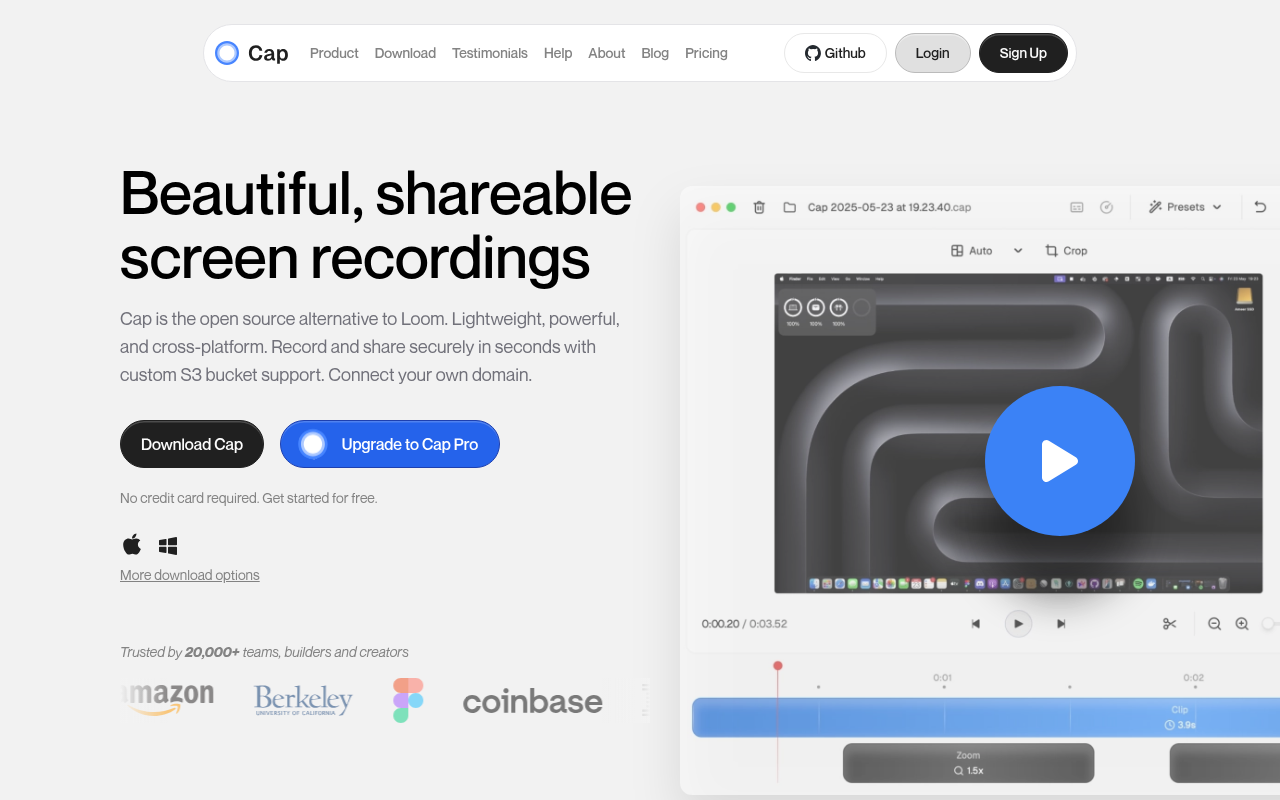
Let’s be real for a second. We are all feeling the "Loom fatigue." What started as a quick way to share screen grabs has bloated into a heavy, expensive enterprise platform. That is exactly where Cap (cap.so) steps in.
Cap is an open-source screen recorder that takes a "native-first" approach. Instead of wrapping a web browser in a desktop window (Electron), Cap is built natively for macOS and Windows. This means it is incredibly lightweight, launches instantly, and doesn't eat your RAM for breakfast.
For developers and privacy-conscious teams, this tool is significant because it decouples the recording tool from the hosting provider. You get the polish of a top-tier SaaS product, but with the option to own your data completely. It’s the screen recorder for people who care about their tech stack.
Key Features
True Native Performance
The biggest friction point with browser-based recorders is the lag. Cap bypasses this by running natively on Intel and Apple Silicon Macs, as well as Windows. You can record up to 4K resolution at 60fps without your fans spinning up like a jet engine. It feels "crispy" and responsive in a way that web apps just don't.
Bring Your Own Storage (S3)
This is the feature that will turn heads for engineering teams. While Cap offers its own cloud hosting, it also allows you to connect your own S3 bucket (AWS or Cloudflare R2). This means your videos are uploaded directly to your infrastructure. You maintain total data sovereignty, making it compliant for organizations that can't risk having proprietary code or customer data sitting on a third-party startup's server.
Dual Workflow: Instant vs. Studio
Cap understands that not all videos are the same.
- Instant Mode: Works like the classic Loom experience. It records and uploads simultaneously so the link is ready to paste the second you hit "stop."
- Studio Mode: This is for when you need polish. It records locally, allowing you to use the built-in non-linear editor. You can combine separate camera and screen tracks, edit the layout, and trim the fat before you export.
AI & Smart Polish
If you opt for the Pro plan, Cap automates the tedious post-production work. It generates titles, summaries, and clickable chapters automatically. It also includes "Smart Auto-Zoom," which dynamically zooms in on your cursor or UI elements to keep the viewer focused, similar to high-end tutorial editing.
Custom Branding
For agencies or product teams, sending a link that says cap.so/video123 is fine, but sending clips.youragency.com/demo is better. Cap supports custom domains and lets you brand the video landing page, removing the generic tool interface from your client communications.
Pricing
Cap has an interesting pricing model that splits the difference between "software license" and "SaaS subscription."
Free Tier ($0)
- Good for quick bug reports.
- Unlimited local recording (Studio Mode).
- Catch: Shareable links (hosted by Cap) are limited to 5 minutes.
Desktop License ($29/year or $58 lifetime)
- This is a license for the software itself.
- Removes the "non-commercial" restriction on the desktop app.
- Ideal if you only record locally or self-host your videos.
Cap Pro ($12/mo or $8.16/mo billed yearly)
- The full SaaS experience.
- Includes the Desktop License.
- Unlimited cloud storage and unlimited link duration.
- Full AI suite (transcripts, summaries).
- Custom domain and S3 integration support.
Pros & Cons
The Good
- Speed: The "Instant Mode" is legitimately fast. The link is ready immediately, which is critical for async standups.
- Data Ownership: Being able to dump recordings directly into your own Cloudflare R2 bucket is a massive win for privacy and cost control.
- Design: The UI is stunning. It feels modern, clean, and unobtrusive.
- Value: Even at the Pro level, it is cheaper than Loom's business tier, and the lifetime license option is a rarity in 2024.
The Bad
- Growing Pains: It is still in active development. You might run into bugs with specific Windows configurations or export glitches that you wouldn't see in a mature tool like Loom.
- Free Tier Limits: The 5-minute cap on hosted links makes the free version hard to use for detailed code walkthroughs unless you pay up or host it yourself.
- Missing Features: Some advanced audio features like background noise reduction are currently labeled as "Coming Soon."
Verdict
Cap is currently the best option for developers, product managers, and tech-savvy users who are tired of bloatware. If you are comfortable configuring an S3 bucket or just want a screen recorder that respects your system resources, this is a no-brainer.
However, if you are in a non-technical enterprise environment that requires 100% stability and zero setup time for hundreds of employees, you might want to wait a few months for the beta bugs to be ironed out.
Recommendation: Grab the free version to test the "native feel." If the speed impresses you, the $58 lifetime license is a steal for a permanent tool in your utility belt.