

Overview
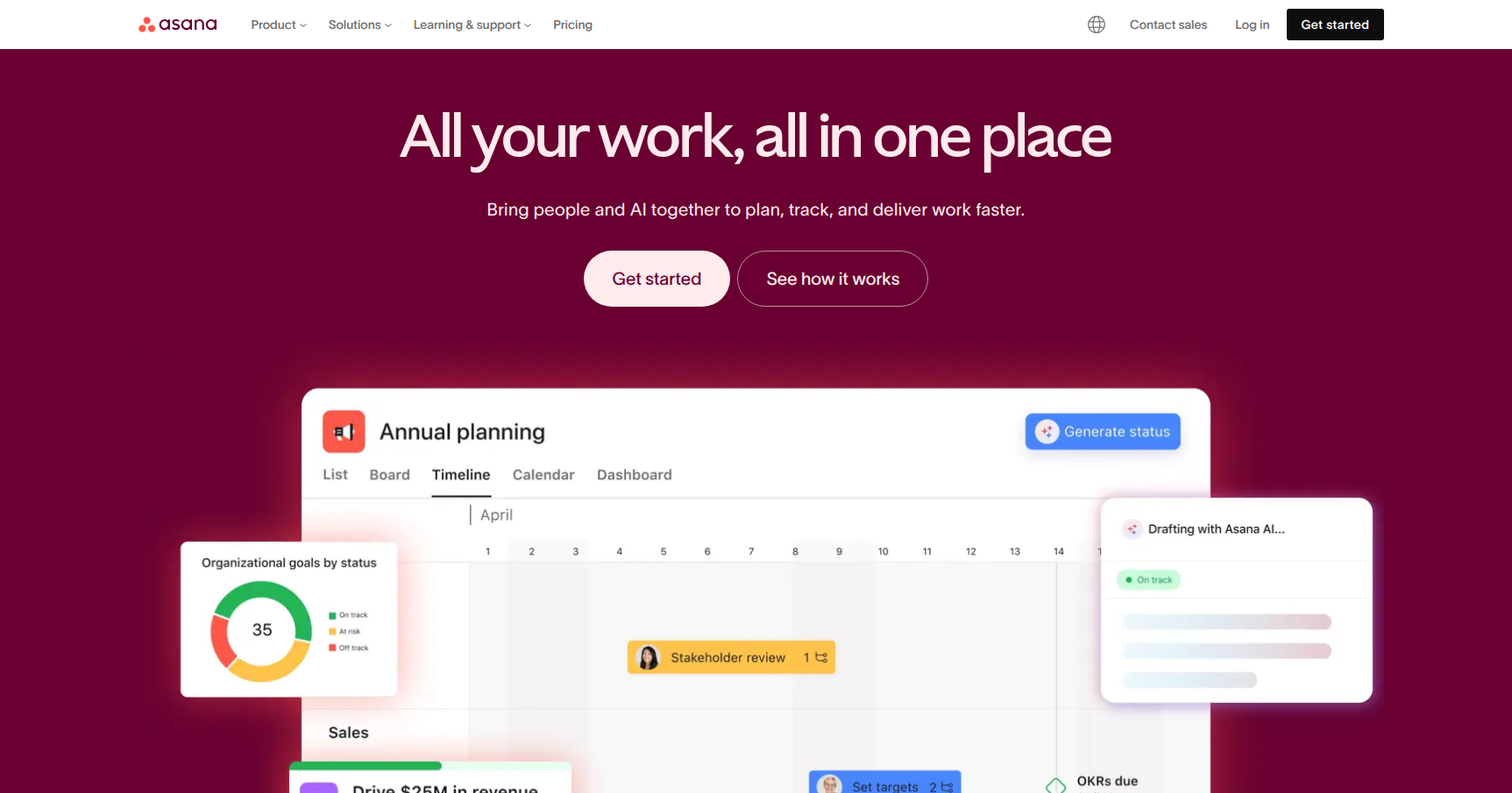
Asana has evolved quite a bit from the simple task list you might remember from a few years ago. Today, it positions itself as an "Enterprise Work Management" platform. The main goal here is to kill off "work about work" (the time you waste sitting in status meetings or hunting through Slack threads just to find a document).
The core differentiator is something they call the Work Graph. Most project management tools are just lists of buckets. Asana’s data model maps relationships between people, projects, tasks, and goals. This means a single task isn't just a sticky note on a board; it's a data point that links daily execution up to company-wide strategy.
It is best suited for medium-to-large cross-functional teams that need to visualize dependencies. If you are in Marketing, Product, or Operations and you are tired of wondering how your sprint contributes to the Q4 revenue target, Asana is trying to solve that specific visibility gap.
Key Features
1. Multi-Homing (The "Secret Sauce")
This is arguably Asana’s most practical feature. You can have a single task live in multiple projects simultaneously. For example, a "Update Homepage Hero Image" task can sit in the Web Dev Backlog, the Marketing Campaign Board, and the Designer’s Personal Queue.
If someone comments on it or marks it complete in one project, it updates everywhere instantly. This prevents silos where Engineering knows a task is done but Marketing is still waiting on it.
2. Goals & Portfolios
This is for the managers and executives. Portfolios act like a mission control for multiple projects. Instead of clicking into ten different boards to see what is late, you get a high-level dashboard showing the health of every project in your department.
Goals connect those projects to KPIs. You can set a goal like "Launch Mobile App" and link specific projects to it. As tasks complete, the progress bar on the goal updates automatically. It provides a clear line of sight from "I wrote this code" to "We hit our quarterly objective."
3. Asana AI Studio & Intelligence
Asana has leaned hard into AI for 2024/2025. This isn't just a chatbot; it is integrated into the workflow. The AI Studio is a no-code builder where you can design "Smart Rules."
You can build a workflow that says: "When a new creative brief arrives, summarize the text, determine the priority based on keywords, and draft a sub-task list for the design team." It effectively acts as a triage assistant for high-volume intake teams.
4. Workflow Builder
You don't need to be a developer to automate things here. The Workflow Builder offers a visual canvas to create "Rules." A common setup looks like this: Trigger: Task moved to "Ready for Review." Action: Reassign to QA Lead, add "Review" tag, and post a message to the Slack #dev-channel. It removes the manual administrative burden of handing off work.
Pricing
Asana is not the cheapest option on the market. They recently updated their plan structure, and the costs can add up quickly for large teams.
-
Personal (Free):
- Cost: $0.
- Best for: Individuals or startups with fewer than 10 people.
- What you get: Unlimited tasks and projects. You get List, Board, and Calendar views. However, you miss out on Timelines (Gantt) and custom rules.
-
Starter:
- Cost: $10.99 per user/month (billed annually) or $13.49 (monthly).
- What you get: This unlocks the Timeline/Gantt views which are essential for traditional project management. You also get the Workflow Builder (capped at 250 automations/month) and basic AI features.
-
Advanced:
- Cost: $24.99 per user/month (billed annually) or $30.49 (monthly).
- What you get: This is the tier for managers. It includes Portfolios, Goals, and Workload reporting (capacity planning). It also bumps your automation limit significantly (25,000/month).
-
Enterprise:
- Cost: Custom.
- What you get: SAML, SCIM, data residency, 24/7 support, and organization-wide AI analytics.
Pros & Cons
The Good
- The Interface: The UI is clean, snappy, and generally pleasant to use. The "celebration creatures" (like a unicorn or narwhal flying across the screen when you complete a task) add a nice hit of dopamine.
- View Flexibility: Switching between a Kanban board, a standard list, and a Gantt chart happens instantly without breaking the data.
- Automation: The rule builder is significantly easier to use than Jira’s automation engine. Non-technical marketing or HR teams can set up their own workflows without waiting on IT.
- Ecosystem: It integrates well with Slack, Google Drive, and Salesforce.
The Bad
- Single Assignee Philosophy: Asana strictly enforces a rule where a task can only have one assignee. They do this to ensure accountability (if everyone is responsible, no one is). However, this frustrates teams who like to "co-own" tasks.
- Price: Compared to competitors like ClickUp or Monday.com, Asana carries a premium price tag, especially when you need the "Advanced" features like Portfolios.
- Notification Noise: By default, Asana emails you about everything. If you don't spend time tuning your notification settings on day one, your inbox will be unusable.
- Learning Curve for Advanced Features: While the basic list is intuitive, setting up Portfolios and standardized custom fields across an organization requires a dedicated admin or a lot of training.
Verdict
Asana is a top-tier choice if your organization is large enough to have "coordination chaos" but you don't want the stiffness of a tool like Jira. It excels at bridging the gap between non-technical teams (Marketing, Creative) and technical teams (Product, Dev).
Recommendation:
- Buy it if: You are a mid-sized to enterprise company managing complex, cross-functional projects and you have the budget for the "Advanced" plan to utilize Portfolios and Workload management.
- Skip it if: You are a small team of 5 people looking for a bargain (ClickUp is cheaper) or if you are a pure software dev shop that needs deep code repository integration (stick to Jira or Linear).