
Overview
Let's be honest about the current state of AI meeting assistants. Usually, you invite a bot to your call, it announces "recording in progress" to everyone, and you spend the first two minutes explaining that you are just taking notes. It breaks the ice in the wrong way.
Granola takes a different approach. It is an app that lives on your computer, not a bot that joins your conference call. By capturing system audio directly from your device, it works silently in the background. This makes it platform-agnostic; whether you are on Zoom, Google Meet, Slack Huddles, or a random browser-based dialer, Granola hears what you hear.
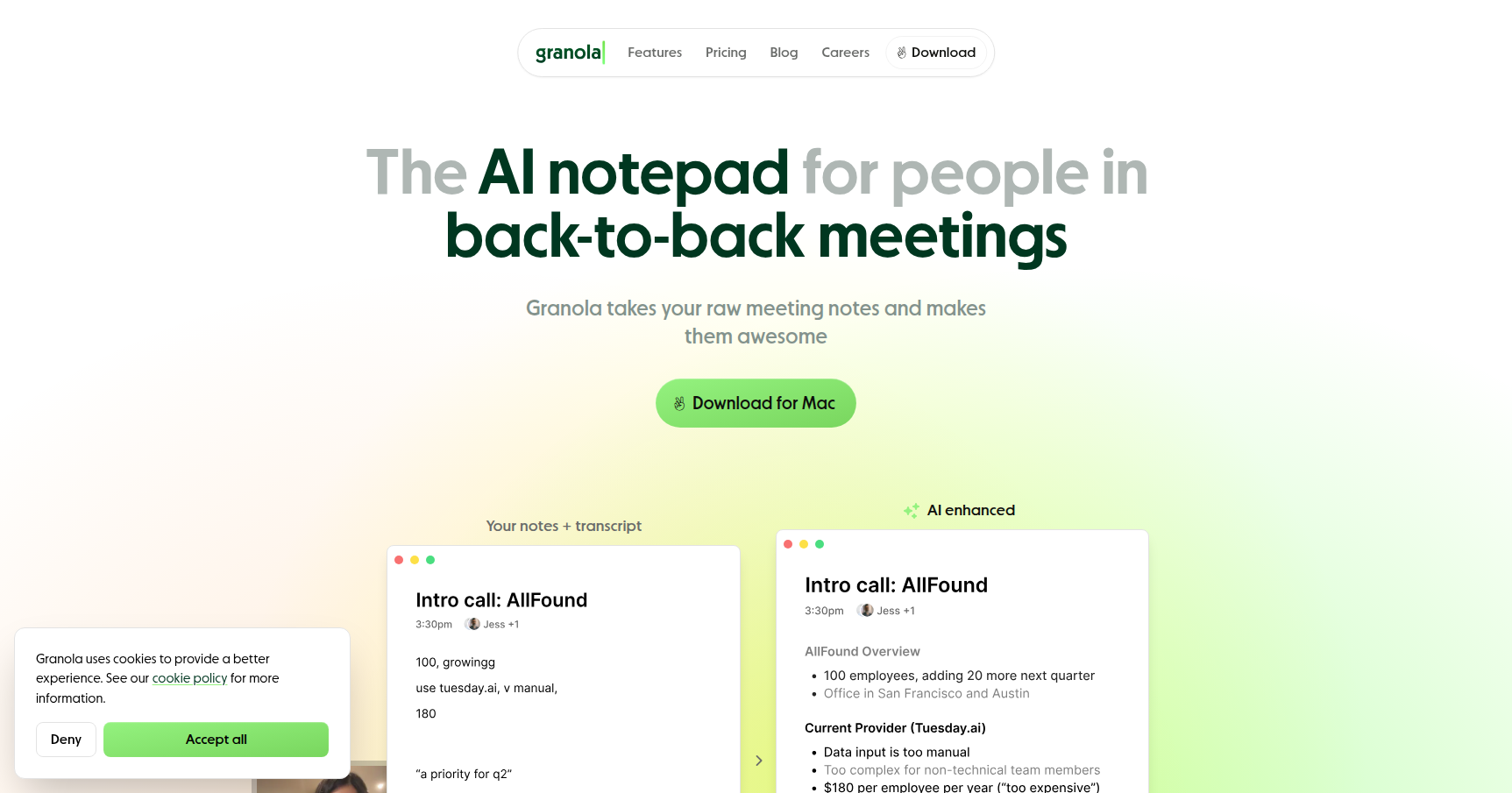
The philosophy here isn't to replace you. It is designed to "augment" your brain. You jot down messy shorthand or bullet points during the chat, and Granola uses the transcript to flesh those scribbles out into polished, professional notes. It is specifically built for Product Managers, VCs, and Founders who need to maintain eye contact and high engagement without losing the details of a high-stakes conversation.
Key Features
The "Un-Bot" System Capture
The biggest differentiator is how Granola enters the room. It doesn't. instead of inviting an external participant, you run the Granola desktop app on your Mac or Windows machine. It pulls audio from your output speakers and microphone. This is huge for privacy-sensitive meetings or casual syncs where a recording bot feels too formal or intrusive. It allows you to record a Slack Huddle as easily as a boardroom presentation.
Human-in-the-Loop Note Enhancement
Most AI tools just dump a giant wall of text or a generic summary at you. Granola relies on a hybrid workflow. You type your own notes during the call. Maybe you just write "pricing concerns" or "Q3 roadmap." When the meeting ends, Granola looks at your bullet points, scans the transcript for context, and expands your rough notes into fully formed, accurate paragraphs. The result is a document that follows your logic but captures the AI's precision.
Customizable "Recipes"
Context matters. A one-on-one with a direct report requires a different summary structure than a sales discovery call. Granola uses "Recipes" to solve this. These are templates that guide the AI on how to format the output. You can set it up to extract specific pain points for UX research or clear action items for project management. It stops the AI from guessing what is important and forces it to look for what you actually care about.
Multi-Meeting Intelligence
Granola isn't just for single-session recall. It offers a chat interface that sits on top of your entire meeting history. You can ask questions like "What have clients said about our pricing across the last five calls?" or "List all mentions of the mobile app bugs." This turns your meeting repository into a searchable database, which is incredibly useful for spotting patterns over time.
Pricing
Granola structures its pricing to cater to individual power users and teams who need centralized control.
- Free Tier: This is your test drive. It typically includes a limit of around 20 to 25 meetings (lifetime or per month) so you can evaluate the transcription quality and the note enhancement features without putting a card down.
- Individual Plan (~$18/mo): This unlocks the tool for serious daily use. You get unlimited meetings, advanced search capabilities across your history, and full access to the premium note-enhancing features.
- Business Plan (~$14/user/mo): Designed for teams. This includes everything in the Individual plan but adds shared team folders, admin controls, and consolidated billing.
- Enterprise Plan (~$35/user/mo): This is for organizations with strict compliance needs. It adds priority support, higher-grade security features, and critically, the ability to opt-out of model training to ensure your data is never used to improve their algorithms.
Pros & Cons
The Good
- Discretion is Key: The ability to record without a visible bot is the primary selling point. It keeps the conversation natural and avoids the "performance anxiety" some people feel when they know they are being recorded.
- UI/UX: The interface is frequently praised for being "calm" and minimalistic. It feels like a native utility rather than a bloated SaaS platform.
- Better Summaries: Because the AI uses your notes as a scaffold, the final output usually feels more accurate and relevant than tools that try to guess what the meeting was about.
The Bad
- No Audio Playback: This is a deliberate design choice for privacy, but it is a functional limitation. You cannot click a sentence in the text to hear the original audio. If you need to verify tone or exact phrasing for legal reasons, this is a dealbreaker.
- Desktop Tether: You need the desktop app. If you work primarily from an iPad or a restricted corporate laptop where you cannot install software, you are out of luck.
- Speaker ID Struggles: Since it records system audio rather than separate digital streams, it can sometimes struggle to differentiate speakers if people talk over each other or have similar voices.
Verdict
Granola is the best option on the market for professionals who hate "meeting bots." If your day consists of back-to-back calls where you need to be fully present (like sales discovery, user interviews, or investor pitches), this tool effectively offloads the cognitive burden of note-taking.
However, if you are looking for a tool to create an archival record of audio (like a deposition or a podcast interview) where you need to replay specific soundbites, Granola is not for you. It is a synthesis tool, not a tape recorder. It is best suited for knowledge workers who want polished, actionable text summaries without the social friction of a visible AI participant.