

Overview
Runway operates less like a standard AI image generator and more like a full-service VFX studio inside your browser. While many tools focus solely on the "slot machine" mechanic of typing a prompt and hoping for a good result, Runway is building an ecosystem designed to give creators actual control.
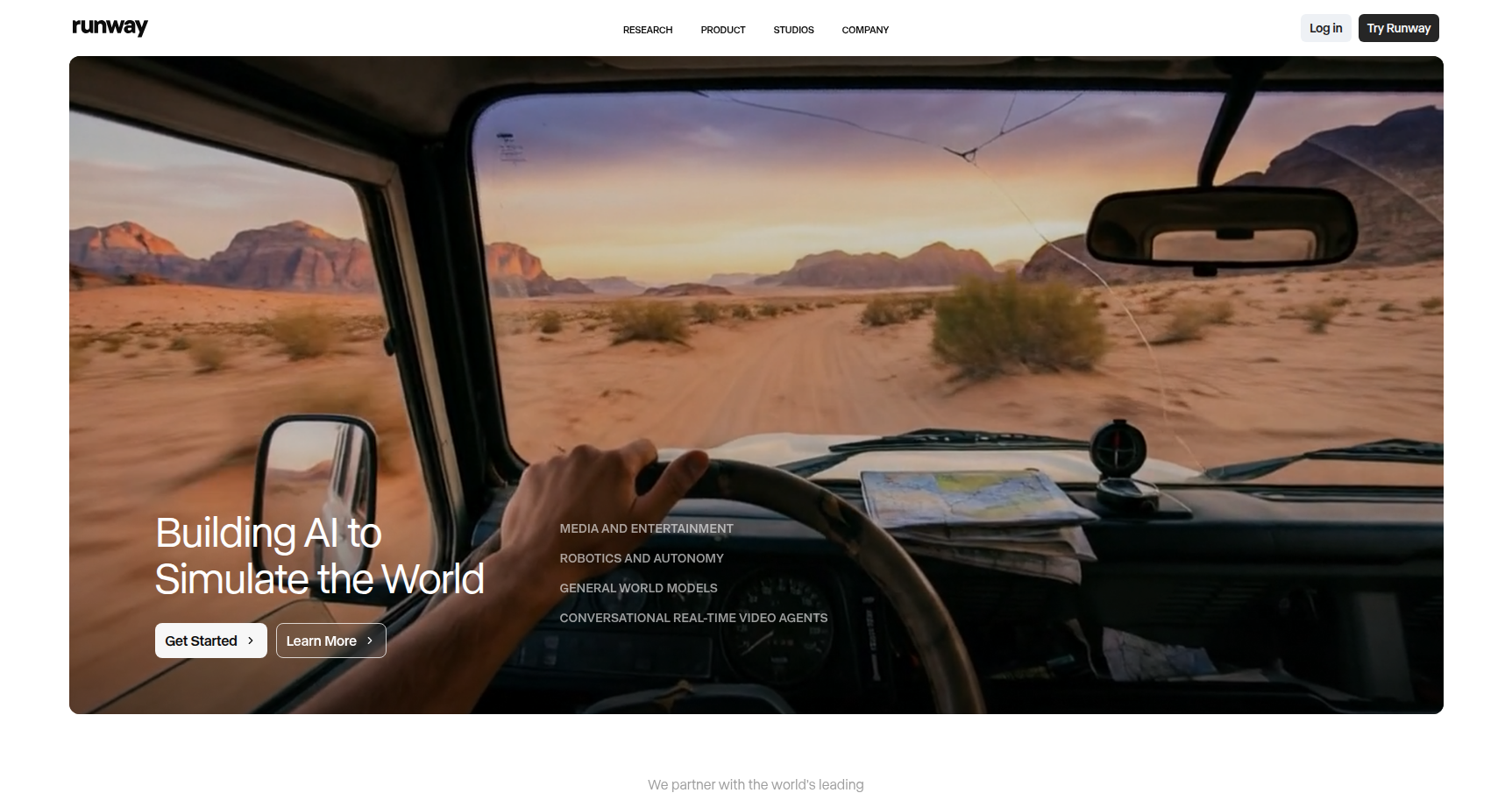
At its core, the platform is powered by what they call "General World Models." The idea is that the AI isn't just predicting pixels based on patterns; it is attempting to simulate the physics, lighting, and movement logic of the real world. This approach is aimed at filmmakers, studios, and agencies who need to move beyond simple GIFs into high-fidelity previsualization, B-roll, or complex visual effects without needing a render farm or a $5,000 workstation.
Key Features
High-Fidelity Video Generation (Gen-Series)
Runway’s flagship models (currently the Gen-3 and Gen-4 series) are the heavy lifters here. These models are designed to generate high-definition video from text prompts or reference images. The standout capability here is temporal consistency. Unlike older models where characters would morph into nightmares halfway through a clip, these models maintain structure, lighting, and physics much more reliably. They are specifically tuned to handle complex human motion and character consistency across different shots.
Act-One Character Performance
This is a significant utility for narrative work. Act-One allows you to take a video input (like a webcam recording of yourself speaking) and map that performance onto a generated or stylized character. It captures micro-expressions and emotional nuance, translating the human performance directly to the AI output. It solves the "dead face" problem common in AI animation by anchoring the movement to real human acting.
Multi-Motion Brush
For directors who hate leaving things to chance, the Multi-Motion Brush is essential. It provides granular control over specific parts of an image. You can highlight a cloud and tell it to move left, highlight a car and tell it to move right, and leave the rest of the scene static. This shifts the workflow from random generation to directed animation, allowing you to paint motion paths for independent objects within a single frame.
The Magic Tools Suite
Runway includes over 30 specialized "Magic Tools" that handle the tedious parts of post-production. This includes:
- Inpainting: Removing or replacing objects in video seamlessly.
- Frame Interpolation: Smoothing out footage to create slow-motion effects.
- Advanced Green Screen: removing backgrounds instantly without manual rotoscoping.
- Director Mode: Giving you camera control to pan, tilt, or zoom within a generated clip.
Node-Based Workflows
For the technical users, Runway offers a node-based environment. You can build custom automated pipelines that string together different operations, such as linking video generation to audio tools like voice isolation or dubbing. It allows for rapid prototyping of complex sequences without doing everything manually step-by-step.
Pricing
Runway operates on a credit system, where complex tasks cost more credits per second of generation.
- Free Plan: You get a one-time grant of 125 credits. It limits you to 720p exports, includes watermarks, and restricts access to the newest models. Good for testing, bad for production.
- Standard Plan ($15/month): Gives you 625 credits per month. This removes watermarks, unlocks 1080p exports, and allows you to train one custom model.
- Pro Plan ($35/month): Bumps you to 2,250 credits per month. This tier unlocks 4K exports and advanced features like custom voice cloning.
- Unlimited Plan ($95/month): The standard for heavy users. You get 2,250 "fast" priority credits. Once those are gone, you can generate unlimited video in "Relaxed Mode," which is slower but doesn't cost extra.
- Enterprise: Custom pricing for SSO, higher storage, and dedicated support.
Note: Credits are calculated by the second. High-quality generations can burn 5 to 10 credits per second.
Pros & Cons
Pros
- Browser-Based Power: You get access to professional-grade rendering and physics simulation without needing expensive local hardware.
- Artistic Agency: Features like Motion Brush and Camera Controls let you direct the scene rather than just prompting and hoping.
- Physics Simulation: The General World Model approach results in movement that feels weighty and realistic, rather than floaty or dream-like.
- Integrated Suite: It bridges generation and editing. You can generate a clip, then immediately inpaint a mistake or slow it down in the same interface.
Cons
- The "Credit Trap": This is the biggest pain point. If the AI generates a hand with six fingers, you still pay for that generation. Credits burn up fast during the trial-and-error phase.
- Learning Curve: While the UI is clean, mastering the node workflows and understanding how to prompt for specific camera moves takes time.
- Short Durations: Clips are usually capped at short bursts (around 5 to 16 seconds). You have to stitch or "extend" clips to build longer narratives, which can introduce consistency errors.
- Consistency Limits: While better than most, keeping a character looking exactly the same across 10 different generated clips still requires significant effort and post-work.
Verdict
Runway is currently the most robust platform for creators who want to integrate AI into a professional video workflow. It is not a magic button that makes a movie for you. Instead, it is a powerful set of tools for storyboarding, pre-visualization, and creating high-end B-roll or VFX shots.
If you are a casual user, the credit consumption might feel punishing. However, for filmmakers, ad agencies, and designers who need high-fidelity motion and specific control over their scene composition, the Unlimited Plan offers enough value to justify the cost. It effectively replaces a junior VFX team for specific tasks, provided you are willing to learn the nuances of the interface.